


TL;DR
- SEO for job posting puts your roles in front of active searchers.
- Google Jobs pulls listings from many sites and ranks them by relevance and clarity.
- Small changes like titles, pay and structure can lift visibility fast.
- Clean pages beat flashy pages every time.
- AI now helps recruiters fix gaps before jobs go live.
Most job posts never get seen. They sit on career pages or job boards and slowly fade out while great candidates scroll past. The problem is not the role. The problem is visibility. Without SEO for job posting, even strong openings fail to reach the right people at the right time.
The solution is straightforward. Learn how Google Jobs operates, apply a handful of tested strategies, and your listings will appear where people are already searching. This guide gives you what you need to get started today.
What Is SEO for Job Postings?

SEO for job postings is about how you write and organize a job listing so search engines can clearly read it. The aim is not to fool Google but to make the role easy to understand for both search engines and real people.
When done right, recruiting teams benefit in three ways:
- More qualified applicants.
- Lower spend on paid job ads.
- Faster time to fill.
This is where SEO keywords for recruitment come in. These are the words job seekers actually type into Google, such as job titles, locations, and work types. Using them naturally helps both candidates and search engines understand your role.
It also helps to know the difference between the job description and the job posting. A job description explains the role internally. A job posting sells the role externally. SEO only works when you write for the job seeker, not just for compliance.
Good recruiter SEO uses simple words that match what people actually search for. It helps job posts show up as real pages candidates can find, instead of getting buried where no one looks.
Search Like a Candidate
Type the exact search you would use if you were looking for this job. Keep it real. Not what you wish people searched.
You typed:
How Google Jobs Works In Simple Terms
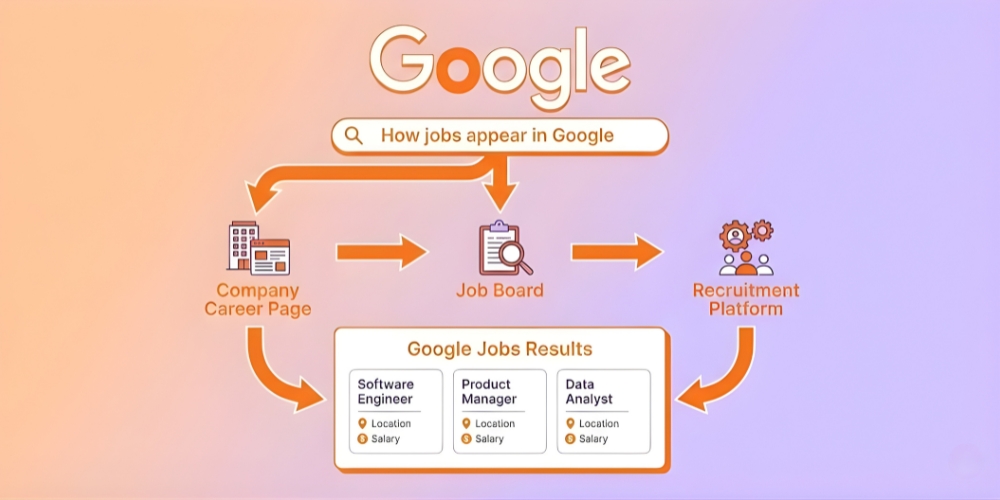
Google Jobs is not a job board. It is a search feature. When someone searches for a job, Google scans thousands of pages and pulls in listings that match the query.
Google Jobs looks at
- Job title clarity.
- Location details.
- Salary information.
- Structured data like a schema.
- Page quality and freshness.
Google Jobs is not just a nice extra. In Huntr’s Q2 2025 job search dataset, Google Jobs had a 9.3 percent response rate, indicating that more applications moved to the interview stage than at many other significant sources. That is why it is worth making your job pages clear and easy for Google to read.
That is why the question, “How to post on Google Jobs,” matters. Google does not host your job. It indexes it from your site or a job board. A clean structure and precise data help Google decide whether your role deserves to rank.
This is where Google for job SEO plays a role. Google prefers pages that are easy to read, fast to load, and specific. Long, vague postings struggle to surface.
Top SEO Tips to Rank Job Postings on Google Jobs
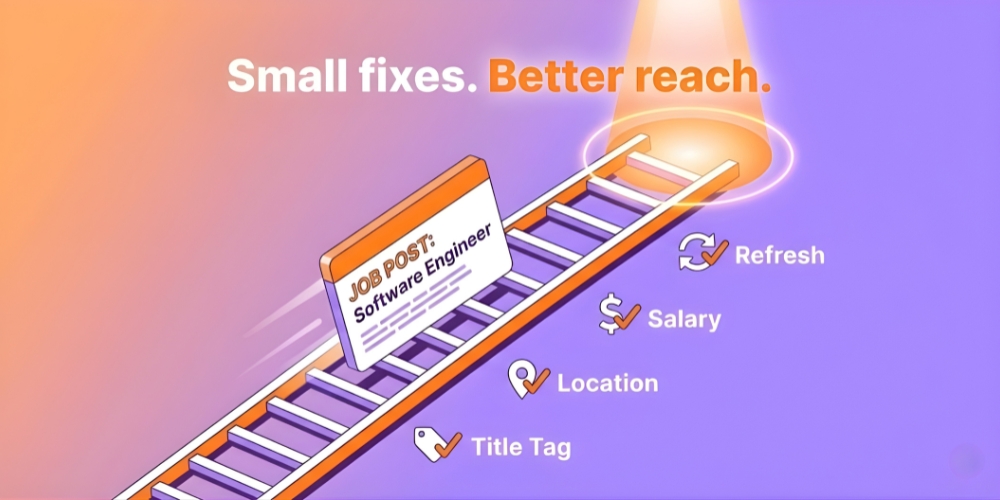
Use Clear Search-Friendly Job Titles
Avoid creative titles. Google ranks the common language better. Senior Software Engineer beats Code Ninja every time. This is a core rule of SEO for Google Jobs success.
Add Location Even for Remote Roles
List the city, region, or mark it as remote. Google filters by location. Leave it blank, and you’re invisible to half your candidates.
Include Salary When Possible
Salary data improves how jobs perform in search and builds credibility with applicants. Research from Indeed found that 73 percent of job seekers are more inclined to submit an application when compensation details are included upfront.
Keep Job Pages Indexable
Do not block job pages with noindex tags. Avoid PDFs. Use clean URLs. This matters for both job board SEO and career pages.
Match Content to Search Intent
This is where optimizing job descriptions for SEO fits in. Use simple bullet points, answer what candidates care about first, and avoid walls of text.
Understand the Hiring Workflow
Many teams mix up job requisitions and job postings when working with AI hiring tools. Requisitions are internal, and postings are public. Only postings need SEO as AI tools now help translate internal data into search-ready job content.
Think Like a Candidate
Strong recruiting SEO asks one question. Would a real person search for this phrase? If not, rewrite it.
Refresh Jobs Regularly
Fresh content ranks better. Google favors recently updated listings. Even minor edits can help roles resurface.
Use AI as a Support Tool
AI can flag missing keywords, confusing titles, and layout issues before a job goes live. It supports human decisions by saving time and reducing errors.
Track What Works
Monitor which roles get traffic and apply and double down on patterns that convert. This is how SEO for recruitment turns into a repeatable system, not guesswork.
Fix This Job Post Challenge
Below is a messy job post. Pick the top 3 fixes you would do first. Then hit check to see what matters most for Google Jobs and candidates.
Title Team Hero
Location Not listed
Type Full time
Skills Not listed
Pay Not listed
Status Active
Choose 3 fixes
Example. Customer Support Representative
City, country, and remote or onsite
Role, team, schedule, and key must haves
Stops the wrong people from applying
Improves trust and reduces quick exits
Less noise, more clarity
Best order of fixes
Title + location so Google Jobs and candidates know what the role is.
First 10 seconds with bullets so people do not bounce.
Skills split so the right people stick and apply.
Pay range and removing hype help too. They just come after the basics are clear.
On-Page SEO Checklist for Job Listings
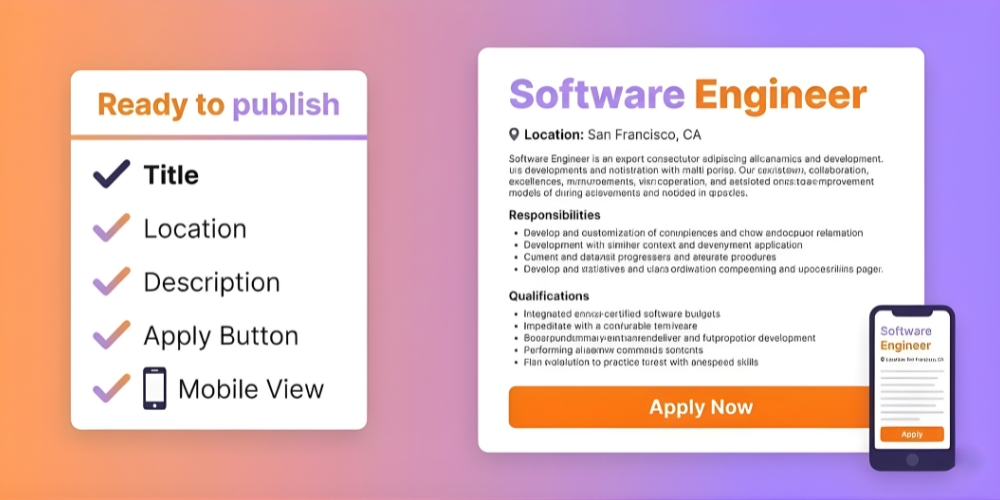
This checklist keeps your job pages clean, readable, and easy for Google Jobs to understand. You can use it before publishing every role.
Start with the title. Use the term candidates type into search bars. Keep it direct. Drop the internal jargon and creative labels.
Add a short opening summary. Two or three sentences that describe the role in everyday language. Candidates skim this first. Google uses it to assess fit.
Include location details. City, country, and remote status should be visible on the page. Google Jobs relies on this data to filter results.
Break out responsibilities with bullets. Short, punchy lines beat dense blocks of text. Easier to read, easier to scan.
Add qualifications and skills clearly. Separate must-have skills from nice to have skills. This reduces bounce rate and improves match quality.
Use one clear job URL. Avoid duplicate pages for the same role. Duplicate listings confuse search engines and weaken ranking signals.
Check page speed and mobile view. Google prioritizes pages that load fast and work well on phones. Appcast reports that around two-thirds of job applications are made on mobile devices so your job page needs to load quickly and display cleanly on a phone.
Keep the application path simple. Fewer clicks help candidates finish applications and reduce drop-offs.
Common Job Posting SEO Mistakes

Many job posts fail because of small, avoidable mistakes. Fixing these often delivers quick wins.
Vague job titles kill your reach. Terms like Team Hero or Growth Star do not match what people actually search. Google can not fill in the blanks.
Missing location details is another issue. Even remote roles need a location tag. Without it your listing may never appear.
Overloading the post with buzzwords hurts clarity. Candidates skim. Google also prefers simple language.
Blocking pages from search engines happens more often than you would think. Noindex tags or paywalls prevent Google from ever seeing your job.
Posting jobs as PDFs limits visibility. Google Jobs works best with standard web pages that load fast and update easily.
When old job posts stay online, people lose trust. They click, see the role is no longer open and leave right away. That quick exit tells search engines the page is not useful.
Posting the same job in many places can hurt visibility. One well written page usually does better than several thin copies.
Spot the Red Flag Quiz
Read each line. Pick Harmless or Harmful. Then check your answers to see the real impact in plain words.
1 The job title uses an internal team name like Growth Star.
2 One post lists five different cities for the same role.
3 The role expired three months ago but the page is still live.
4 The same job is posted on three different URLs on your site.
5 The job description is one long paragraph with no bullets.
6 Pay is not listed, but the post explains why and gives a range for level.
How AI Improves Job Posting SEO
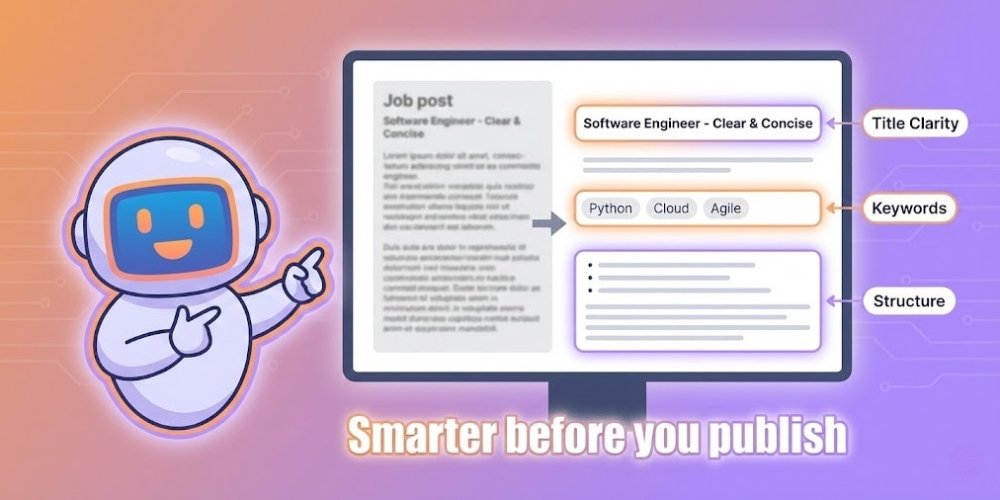
AI is not here to replace recruiters. It acts more like a second set of eyes that helps them move quicker and avoid small mistakes.
Before a job is posted, AI can review it and point out issues like unclear titles, missing locations or openings that do not explain the role well. That saves time and reduces back and forth edits.
AI also helps shape content around how people really search for jobs. Instead of guessing, it nudges wording toward phrases candidates already use.
Some tools try out different titles and short descriptions without drawing attention to it. After a while they reveal which ones attract stronger applicants not just higher traffic.
It also helps catch language that may turn people away without meaning to. That protects reach and keeps the employer image strong.
When used properly, AI keeps job listings clean and consistent. It makes them easier to read, easier to find and easier to trust.
Before vs After Thinking Test
This is a quick reality check. You will see an internal requisition written for managers. Rewrite the first two lines like a candidate would search. Then compare it with an AI rewrite.
Role CX Ops Specialist III
Req summary Support execution of cross-functional CX workflows to reduce ticket backlog and improve SLA adherence.
Notes Coordinate with Product and Engineering. Own daily triage. Maintain reporting cadence.
Your task is only about the first two lines above.
What changes when AI rewrites the same info
Your version
AI rewrite
- Uses role words people search
- States outcome in plain terms
- Keeps it short and scannable
Quick takeaway
AI helps turn internal wording into job copy that candidates and search engines understand. It does not replace judgment. It saves time and reduces vague language.
Conclusion
Showing up on Google Jobs is not about clever tactics. It comes down to how clear and useful your job post is. When a listing explains the role in plain language and gives people the details they look for, Google is more likely to surface it to the right audience.
Begin with clear titles, a short summary that explains the role and all the basic details filled in. Read the post the way a job seeker would and not the way an internal team would. Even small edits add up over time.
FAQs
Quick answers to the questions people ask before they publish.